Change Load Balancer Configuration
You can change the configuration and package of a created Load Balancer from the Load Balancer details page.
Change Load Balancer settings
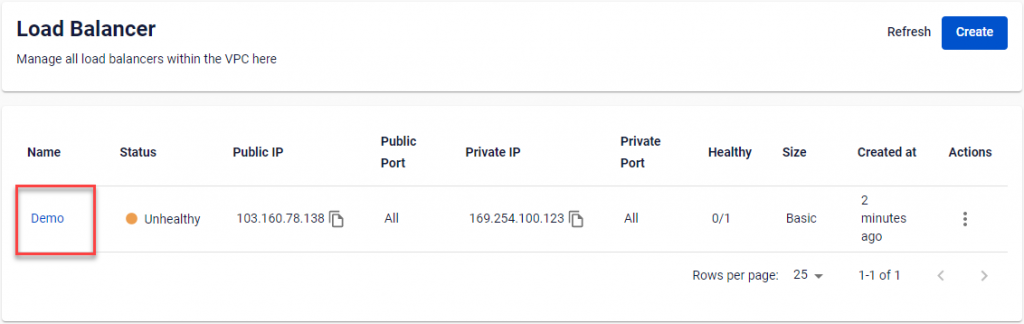
Step 1: Go to the Load Balancer details page by selecting the Load Balancer name in the Load Balancer Management dashboard.
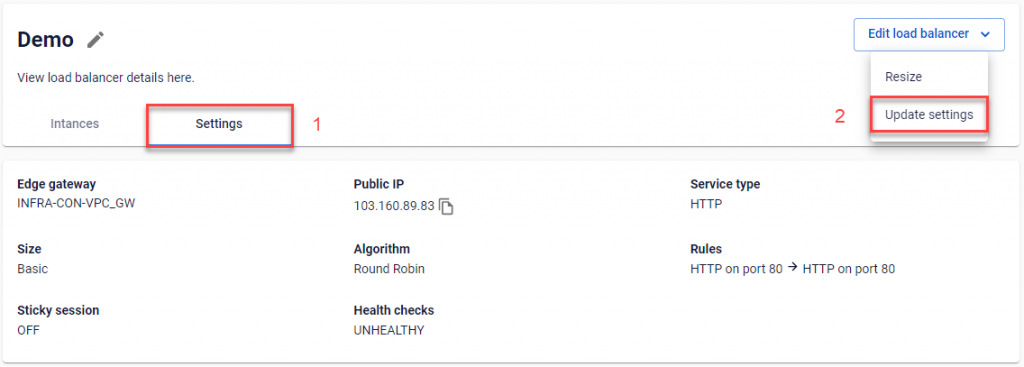
Step 2: Open the Setting tab, then in the Edit load balancer section select Update settings.
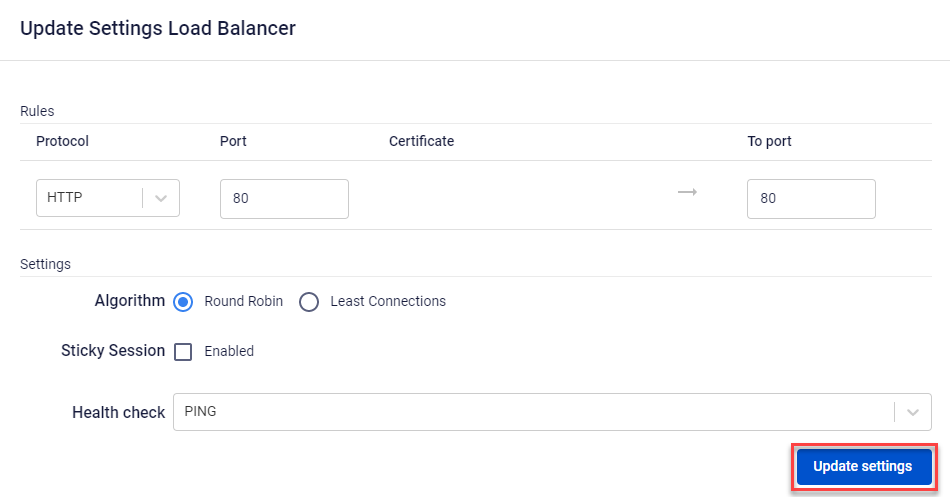
Step 3: Enter the new information in the Update Settings Load Balancer popup and click Update Settings.